

How to Prepare IT Equipment for Collection
Why Preparation Is Important
Preparing IT equipment before collection helps the disposal process run more smoothly, safely and efficiently.
A clear preparation process helps organisations organise equipment, identify data-bearing devices, plan site access and reduce delays during collection.
It also helps ensure equipment is accounted for and handled through the correct disposal, data destruction or recycling process.
This guide provides general preparation advice only. If your organisation has specific data protection, compliance or health and safety requirements, these should be reviewed before collection.
Identify Equipment for Disposal
The first step is to identify which equipment needs to be removed.
This may include computers, laptops, servers, monitors, printers, storage devices, mobile phones, tablets, networking equipment, cables, chargers, batteries and other electronic equipment.
Creating a simple list of items helps your organisation understand the size of the collection and provides a useful reference for internal records.
Computers and desktops
Laptops
Servers and storage devices
Hard drives and data-bearing media
Monitors and displays
Printers and office equipment
Mobile phones and tablets
Networking equipment
Interactive whiteboards and displays
Cables, chargers and accessories
Batteries and battery-containing devices
Small electronic office equipment
Separate Equipment That Contains Data
Some IT equipment contains storage devices that may hold confidential or personal information.
Data-bearing equipment can include computers, laptops, servers, hard drives, SSDs, mobile phones, tablets, external drives, USB devices and some printers.
Identifying this equipment before collection helps ensure the correct data destruction requirements can be reviewed and applied.
You do not need to wipe devices yourself if certified data destruction is included as part of the service.
Back Up Important Data
Before disposing of IT equipment, organisations should check whether any important files, records or business information need to be retained.
Once equipment has been collected and processed, data may no longer be available for recovery.
Backing up important data before collection helps prevent accidental loss of files, records or information that may still be needed.
This is especially important for servers, laptops, desktop computers, mobile devices and external storage media.
Remove Personal Items and Non-IT Materials
Before collection, check whether any non-IT items are mixed with the equipment.
This can include paperwork, personal items, office furniture, packaging waste, confidential documents or items that are not part of the agreed collection.
Removing unrelated items helps avoid confusion and ensures the collection is focused on the equipment that has been reviewed.
Label or Group Equipment Where Helpful
Where possible, equipment should be organised, grouped or labelled before collection.
This can help identify equipment by department, room, site, project, asset category or data destruction requirement.
Labelling equipment may also support asset tracking, internal records and serial number reporting where applicable.
For larger collections, it can be helpful to group equipment by type, such as laptops, desktops, servers, monitors, printers, batteries or data-bearing devices.
Check Batteries and Special Handling Items
Some equipment may require additional review before collection, especially batteries or battery-containing devices.
Damaged, swollen, leaking or overheating batteries should be clearly identified before collection is arranged.
Do not mix damaged batteries with general IT equipment unless the collection has been reviewed and confirmed.
If you have UPS batteries, loose batteries, damaged batteries, CRT monitors, large displays or unusual electrical items, tell our team before collection.
Ensure Access for Collection
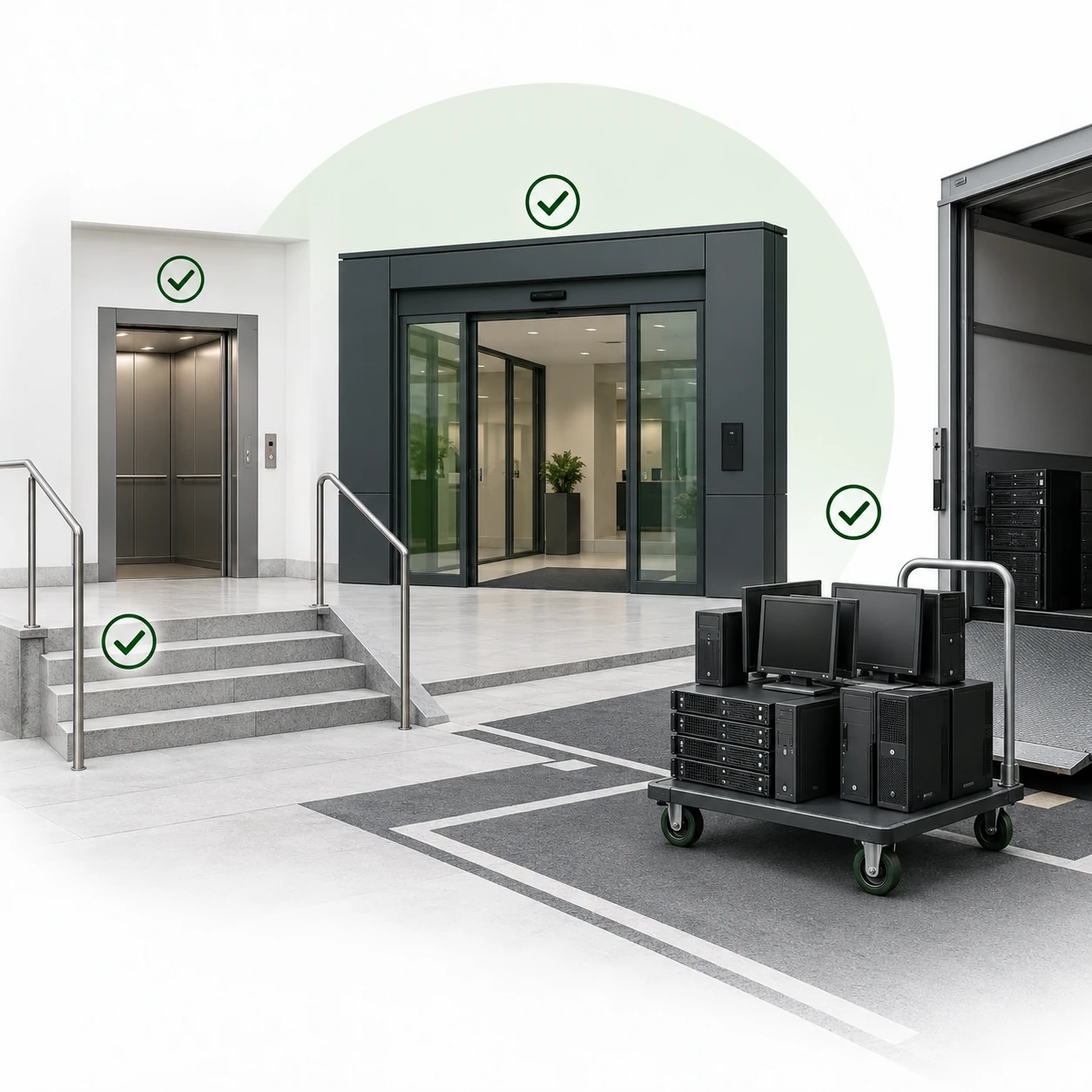
Preparing the collection area helps ensure equipment can be removed safely and efficiently.
Before collection, it is helpful to confirm where equipment is located and whether there are any access restrictions.
Collection address
Room or floor location
Whether stairs or lifts are available
Parking or loading bay access
Security or reception procedures
Opening hours or restricted collection times
Whether equipment is loose, boxed or palletised
Whether heavy items require additional planning
Whether equipment is spread across multiple rooms or sites
For larger collections, planning access in advance can help minimise disruption to staff, students, visitors or normal operations.
Understand the Collection Process
Understanding what happens during collection helps organisations prepare effectively.
The process may include collection review, equipment confirmation, site access planning, secure removal, transportation, processing, data destruction where required and documentation after processing.
A clear process helps reduce uncertainty and ensures the collection is handled in a structured way.
Documentation and Record Keeping
After equipment has been processed, documentation can be issued to confirm how equipment and data-bearing devices have been handled.
Data Destruction Certificate
Serial Number Asset Report
Waste Transfer Note
These records can support internal reporting, audits, procurement checks, asset management, compliance processes and environmental documentation.
The documentation provided may depend on the equipment type, collection scope, data destruction requirements and processing route.
Clients can also use the downloads page to access selected licences, certificates, compliance documents, process documents, legal requirement documents and image guides.
Common Mistakes to Avoid
Some common mistakes can make the disposal process more difficult or increase risk.
Not backing up important data before collection
Not identifying data-bearing devices
Mixing damaged batteries with general equipment
Not confirming access details
Leaving equipment spread across multiple unknown locations
Not checking whether items are loose, boxed or palletised
Including non-IT waste without review
Not confirming whether documentation is required
Not telling the collection team about heavy or unusual items
Waiting until storage rooms are overloaded before arranging collection
Avoiding these mistakes helps the collection run more smoothly and gives your organisation clearer control over equipment disposal.
Preparing Equipment for Larger Collections
Larger collections, office clearances, school clearances, data centre removals and multi-site projects may require more planning than standard collections.
Before collection, it is helpful to provide equipment lists, estimated quantities, site access details, loading information and any data destruction or documentation requirements.
This helps our team review the project and confirm the most suitable approach before collection is arranged.
Preparing Equipment for Collection Across London and Surrounding Areas
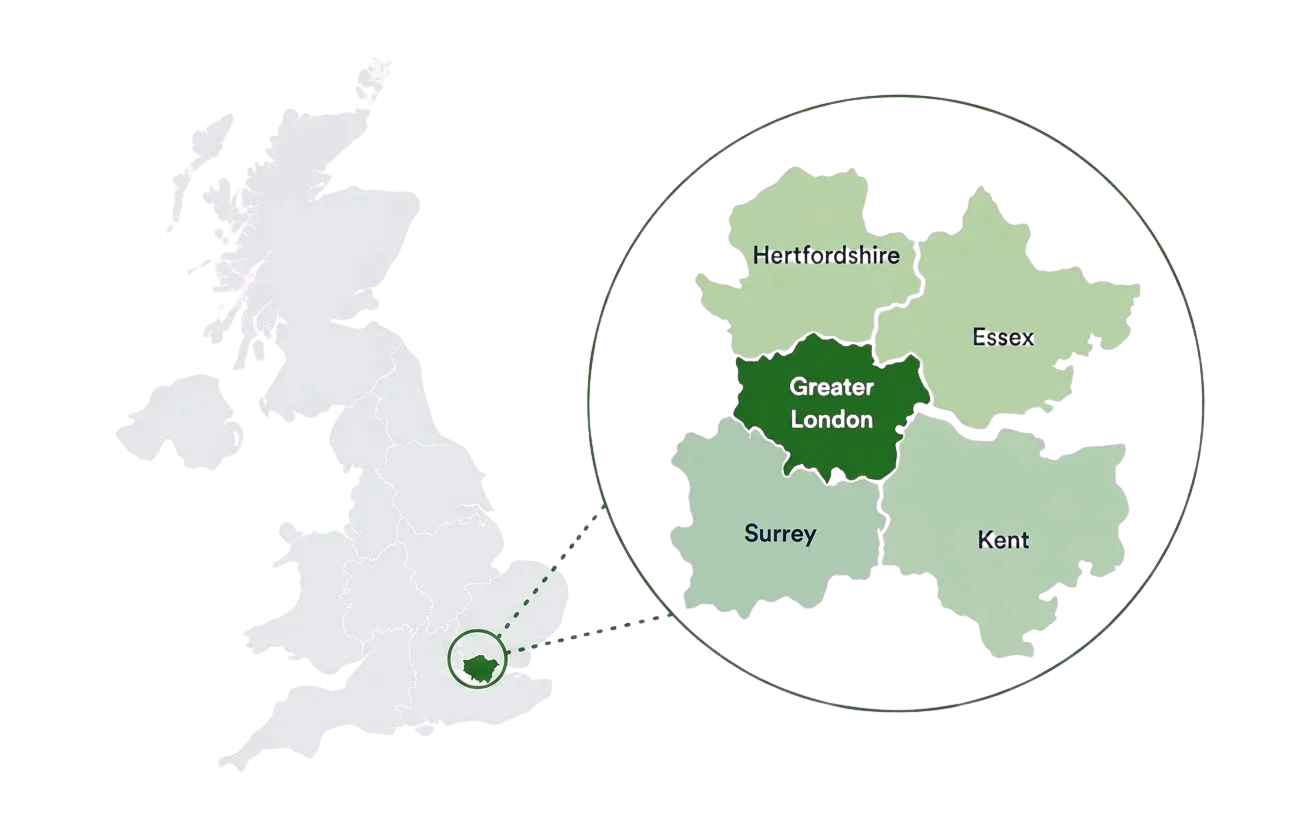
We support organisations across London, surrounding counties and selected UK locations with structured IT disposal, certified data destruction and WEEE recycling services.
Our regular service areas include Greater London, Kent, Surrey, Essex and Hertfordshire, with wider UK collections considered depending on equipment type, volume and project requirements.
Each collection is reviewed to confirm the most suitable approach before collection is arranged.
Frequently Asked Questions
Do I need to wipe computers before collection?
No. If certified data destruction is included, data-bearing devices can be processed securely as part of the disposal service.
Should I back up data before collection?
Yes. If there is any information your organisation needs to keep, it should be backed up before equipment is collected and processed.
What access details should I provide?
Useful details include the collection address, floor level, room location, lift access, stairs, parking, loading bay access and any site security procedures.
Can batteries be included in the collection?
Battery-containing devices can often be reviewed as part of IT equipment or WEEE recycling collections. Damaged, swollen, leaking or overheating batteries should be clearly identified before collection is arranged.
Do I need to label equipment?
Labelling is not always required, but it can help with internal asset tracking, department separation, serial number reporting or larger project planning.
Where can I download process documents or compliance documents?
Selected licences, certificates, compliance documents, process documents, legal requirement documents and image guides can be accessed from the downloads page.
Arrange IT Equipment Collection
If your organisation is ready to dispose of IT equipment, our team can arrange a secure and structured collection.
We provide professional IT disposal, certified data destruction and WEEE-compliant recycling services across London, surrounding counties and selected UK locations.